

AI photo editing apps in 2025
if I am not wrong, today’s generation is the AI generation. All work that humans did in the past is now done by AI, which is quite impressive. AI performed all tasks, such as cooking, serving, and cleaning, just like a human. Today, I am writing about how AI works for editing photos.
In recent years, artificial intelligence(AI) has dramatically changed the way we edit photos. What once required hours on complex software now often takes only seconds with a few taps on a phone. Whether you’re a casual social-media user, a small-business owner, or a budding content creator, AI photo editing apps help you achieve stunning results quickly and affordably. In 2025, these tools will be more powerful, smarter, and easier to use than ever before.
In this post, we’ll explore some of the best AI photo editing apps available today — their strengths, ideal users, and why they deserve a place on your phone or laptop
AI photo editors are changing the game
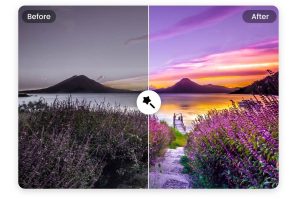
Why AI Photo Editors Are Changing the game with speed and simplicity. AI tools often offer one-click enhancements or intuitive controls, reducing the need for manual tweaks like adjusting brightness, contrast, or color balance. AI is doing Advanced automation features like background removal, object erasing, and skin retouching — once reserved for skilled editors — are now accessible to anyone.
AI can help us for creative freedom and stylize photos, apply artistic effects, or do complex edits with minimal effort.
Many AI photo editors are free or offer cheap plans, and many run on smartphones, making professional-looking editing possible for everyday users.
As AI-driven editing improves, it’s empowering a wider range of people to produce high-quality images — ideal for social media, blogs, e-commerce, personal portfolios, or content creation.
Top AI Photo Editing Apps to Try in 2025
Here are some of the most popular and effective apps as of 2025, each with unique strengths depending on what you want to do:
Snapseed
Available on iOS and Android.
Wikipedia
Offers robust tools like RAW editing, selective adjustments, HDR filters, and — in its 2025 update — AI-powered “Object Brush” for segmenting and editing parts of an image.
Wikipedia
Ideal for people who want precise control and editing flexibility — from casual users to advanced hobbyists.
Fotor
Great for one-click enhancements, background removal, AI upscaling, and batch editing.
Good for users who want quick results without learning complicated tools — like small business owners, bloggers, or social-media creatives.
PicsArt
Combines AI editing tools with a vast library of filters, effects, and creative options.
Popular among younger users, social-media content creators, and anyone who likes experimenting with styles or making fun edits.
Luminar Neo
More advanced — ideal for photographers or serious hobbyists. Offers features like sky replacement, realistic lighting and color adjustments, and depth-aware editing.
For those who want professional-level edits without needing full Photoshop experience.
PhotoRoom (and similar background-focused apps)
Specializes in background removal and producing clean, professional-looking images — great for product photos, e-commerce listings, or social-media visuals.
Useful for small businesses, sellers, digital marketers, or anyone needing polished visuals fast.
Which app is right for you
Your Need recommended Apps
Free, powerful, and precise edits(photo buffs/ hobbyists) Snapseed
Quick edits, batch processing, easy upgrades Fotor, Photoroom
Social media graphics/fun edits/ filters picsart, fotor
professional-level editing, creative control luminar neo, snapseed
product photos, e-commerce, marketing visual photoroom, fotor
Tips to Get the Most Out of AI Photo Editors
1.Start with RAW or high-resolution photos — gives AI more data to work with, leading to cleaner results.
2.Use AI for base edits, then fine-tune manually — AI is great for lighting, background removal, or basic touch-ups; manual adjustments help you preserve quality and realism.
3.Be mindful of over-editing — overuse of filters or heavy AI smoothing can make images look unnatural.
4. Check image context — if you’re editing people’s photos or portraits, try to maintain skin tone, natural lighting, and avoid excessive alterations for authenticity.
5. Use for different goals — whether you’re editing for social media, a blog, product images, or print — pick tools and settings suited to that goal.
my vision
AI photo editing apps have democratized what was once the domain of professionals. Today, with a smartphone and one of these apps, anyone can produce polished, attractive photos — whether for social media, blogs, e-commerce, or personal memories. especially for a website which could use strong visuals for blog posts, product showcase, or social media- investing a little time in AI photo editing will pay off.